Quick start
Welcome to the AbbeyCross REST API quick start guide! Follow these steps to authenticate, retrieve market data, execute trades, and manage payment instructions with the AbbeyCross API. This guide provides an overview of the key API flows to help you quickly integrate with our platform.
To interact with ABX's API, you need to obtain an OAuth 2.0 access token for secure API access.
Authentication
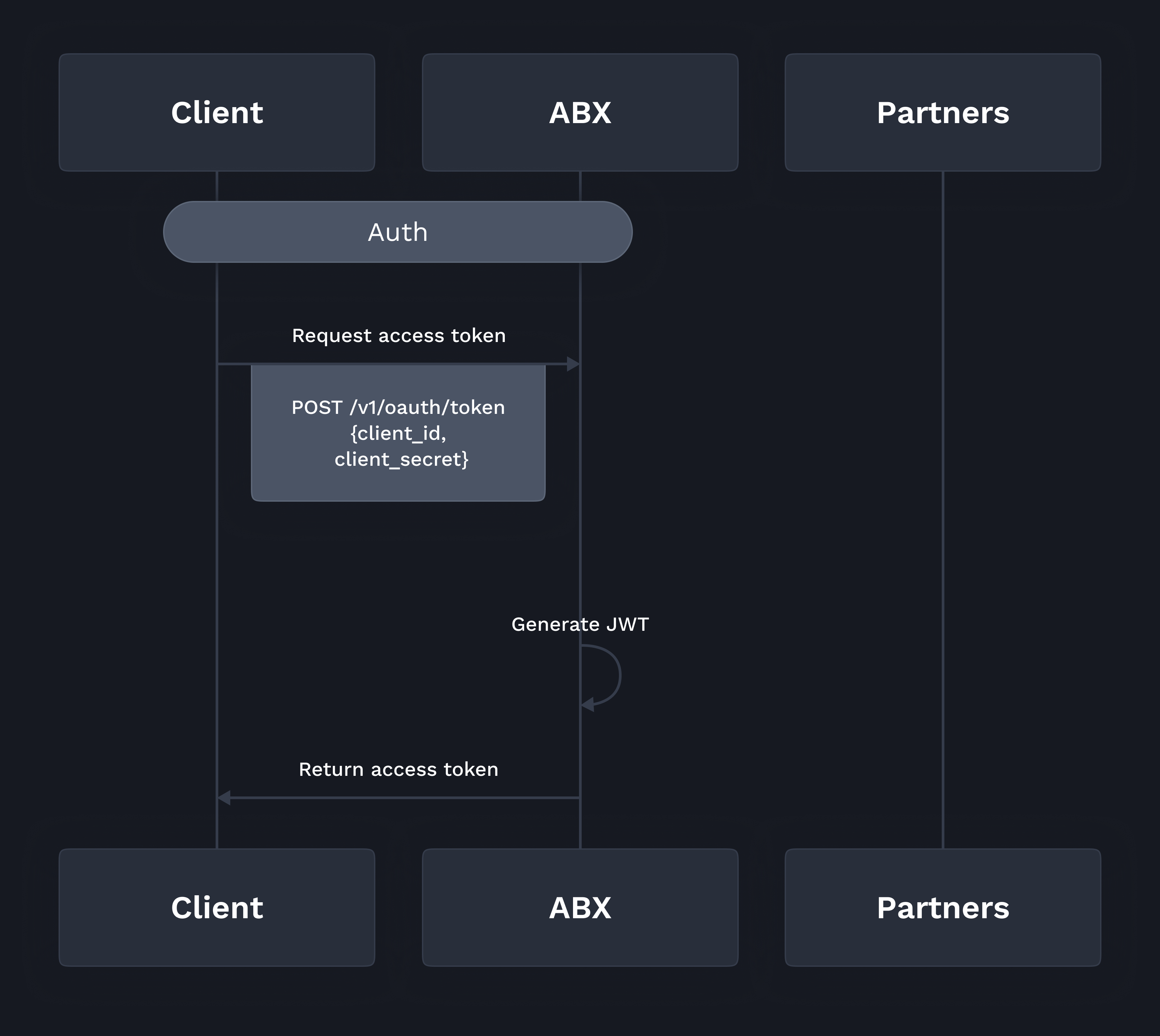
How to Authenticate:
- Endpoint:
POST /v1/oauth/token - Parameters:
client_id: Your unique client identifierclient_secret: Your client secret for authentication
- Response:
access_token: Use this token in theAuthorizationheader for future requests.
After successful authentication, you will receive an access token, which must be included in all subsequent API requests.
Retrieve Market Data
Once authenticated, you can retrieve real-time market data from multiple liquidity partners to inform your FX trading decisions.
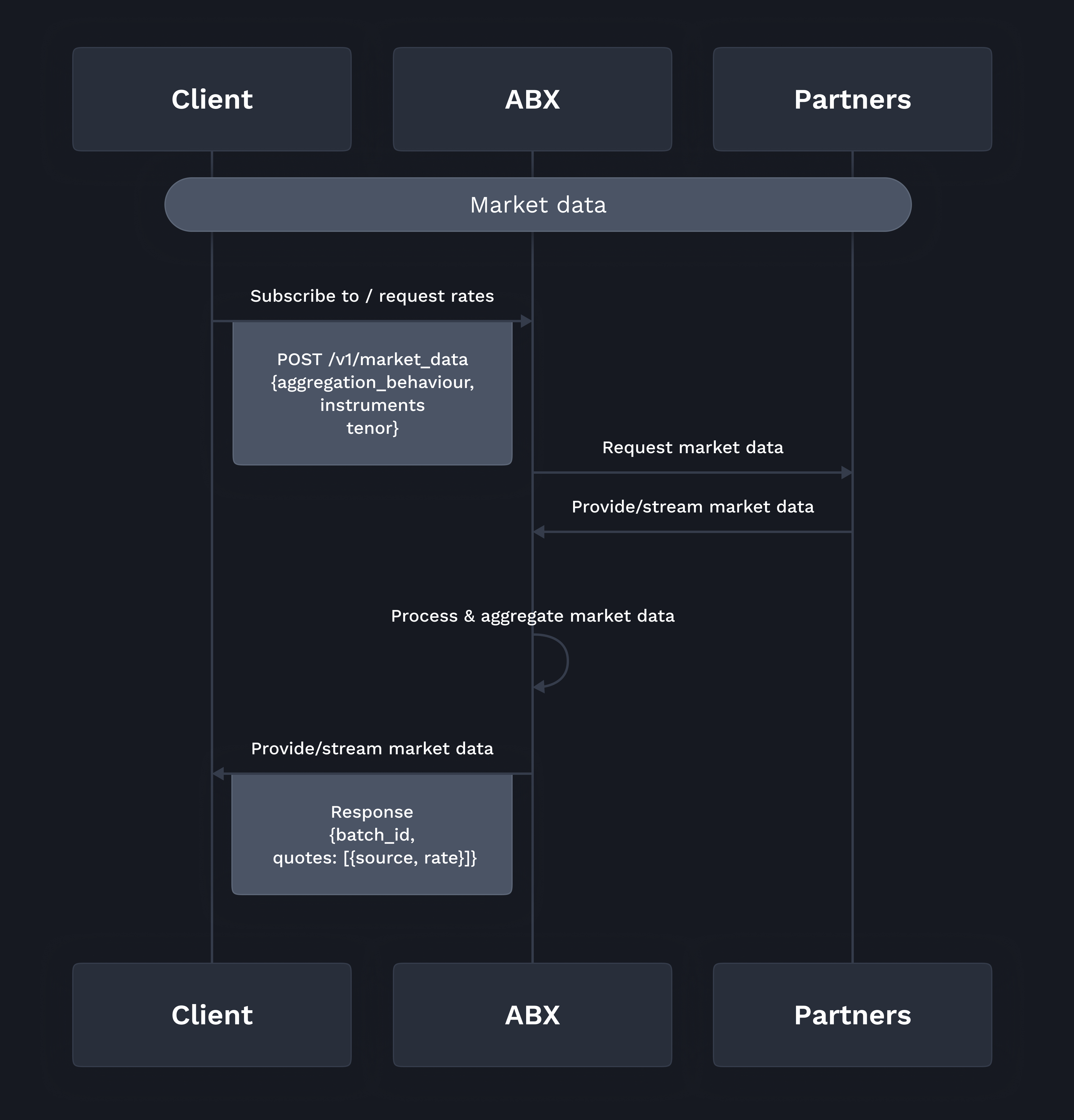
How to Retrieve Market Data:
- Endpoint:
GET /v1/market_data - Parameters:
aggregation_behaviour: How to aggregate data (e.g., best, average)instruments: Currency pairs (e.g., USDBRL, USDCNY)tenor: Market data tenor (e.g., spot)
- Response:
batch_id: ID of the market data requestquotes: Array of quotes with{source, rate}
Use this endpoint to retrieve FX rates or subscribe to rate updates from various liquidity partners.
Trade Execution (Request for Quote - RFQ)
With the market data in hand, you can initiate trades using the Request for Quote (RFQ) process. This process allows you to request quotes from liquidity providers, review rates, and execute trades.
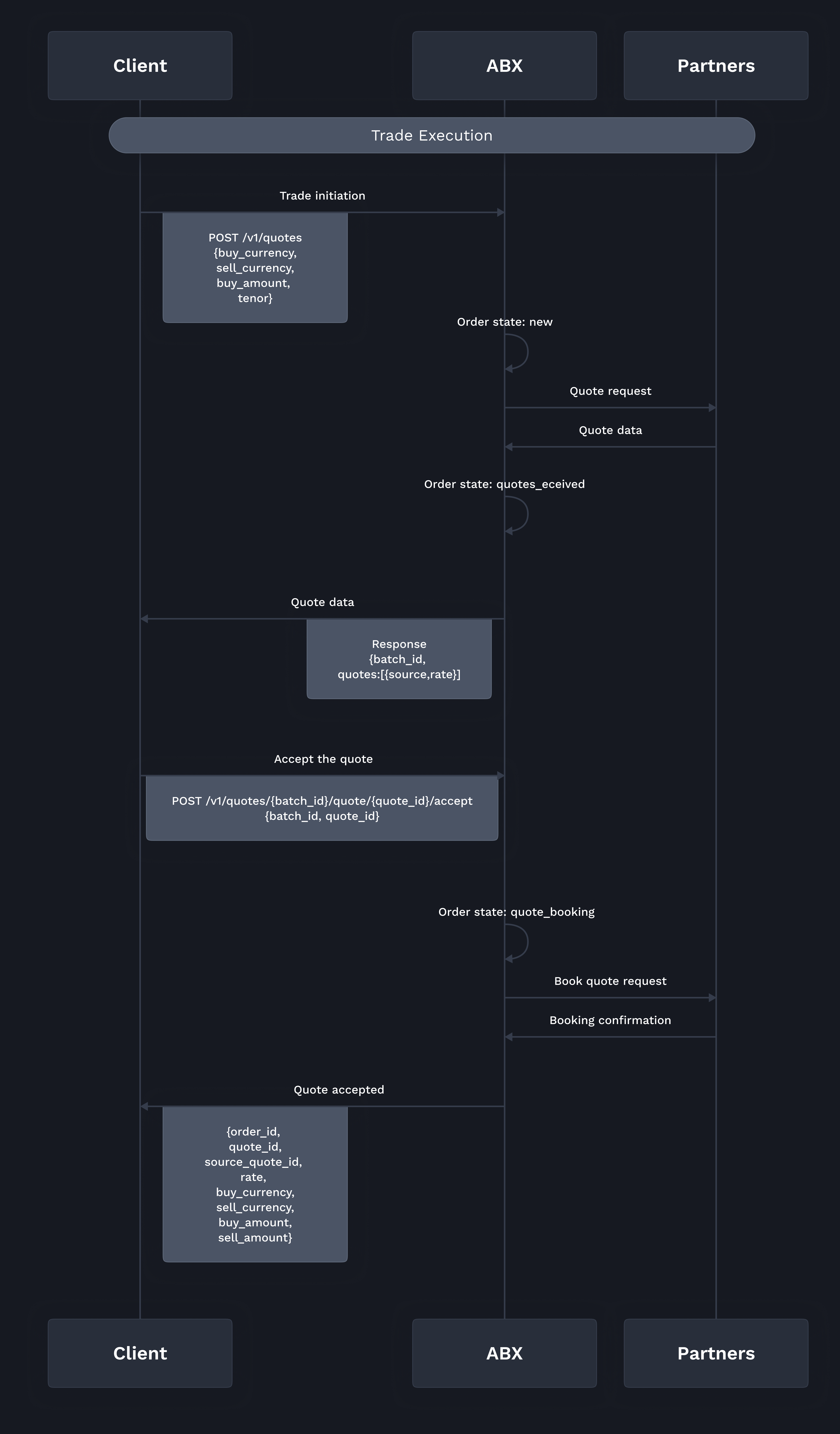
How to Execute a Trade:
- Request a Quote:
- Endpoint :
POST /v1/quotes - Parameters :
buy_currency,sell_currency: Currency pairbuy_amountorsell_amount: Amount to buy or selltenor: Trade tenor (e.g., spot)
- Response :
batch_id: Unique identifier for the quote batchquotes: Array of{source, rate}quotes
- Endpoint :
- Accept a Quote:
- Endpoint :
POST /v1/quotes/{batch_id}/quote/{quote_id}/accept
- Endpoint :
By accepting a quote, you execute the trade at the specified rate.
Payment Instructions
After executing a trade, you need to provide payment instructions to complete the transfer to the beneficiary.
How to Add Payment Instructions:
- Endpoint :
POST /v1/payment_instructions - Parameters :
trade_id: The related trade IDname,address,sort_code,account_number: Beneficiary payment details
- Response :
payment_instruction_id,status: Confirmation of the payment instruction
Ensure to include all necessary beneficiary details to avoid delays in the transfer process.
Conclusion
By following the steps outlined in this quick start guide, you’ll be able to authenticate, retrieve market data, execute trades, and manage payments using the ABX API. For more detailed information on each endpoint, refer to the API documentation and explore additional features, such as webhook integration for real-time notifications.
Happy developing with the ABX REST API!